Notification Settings: Control Gay App Alerts Smartly
Lesezeit: 11 Minuten
Your phone buzzes during dinner, vibrates during a work meeting, and lights up at 2 AM with another "He viewed your profile" alert. Sound familiar? Poor notification settings turn dating apps from helpful tools into stress machines. Most gay men install Grindr, Scruff, or MySugardaddy with default alerts enabled, then wonder why they feel constantly overwhelmed.
The average smartphone user receives 46 push notifications daily according to a 2022 study by Accuweather. Dating apps alone can account for 15-20 of those alerts if you're active on multiple platforms. Learning to manage app alerts isn't about missing connections—it's about staying engaged without burning out.
Why Default Notification Settings Sabotage Your Dating Life
Dating platforms design their default notification settings to maximize your screen time, not your mental health. Every buzz triggers a dopamine response that keeps you opening the app. This works brilliantly for engagement metrics but terribly for your focus and peace of mind.
When you leave push notifications unchecked, you're essentially letting algorithms decide when you pay attention to dating. That "New message" alert during a first date with someone else? That's not helping you make genuine connections—it's fragmenting your attention across multiple conversations.
The constant interruption pattern creates what psychologists call "notification anxiety." You start anticipating alerts even when your phone is silent. Your hand reaches for your pocket reflexively. This hyper-vigilance directly conflicts with being present during actual dates or meaningful conversations.
Strategic Notification Management for Gay Dating Apps
Start by auditing which apps actually deserve real-time alerts. Open your phone's settings and review every dating app individually. Ask yourself: does this platform require immediate responses, or can messages wait until you choose to check?
For apps like MySugardaddy where you're building deeper connections, you might keep message notifications but disable "profile view" and "favorite" alerts. These vanity metrics don't require immediate action. Someone favoriting your profile at 11 PM doesn't need your attention until morning.
Hookup-focused platforms like Grindr benefit from a different approach. If you're actively looking tonight, enable location-based alerts for nearby users. When you're not actively cruising, switch to "pause" mode or disable all push notifications entirely. This prevents random pings when you're not in the headspace to engage.
Customize Notification Frequency and Timing
Most dating apps now offer granular control beyond simple on/off switches. Dive into advanced notification settings to find these options. Many platforms let you batch notifications, so instead of 12 separate alerts, you get one summary every hour.
Time-based controls are your secret weapon. Schedule "quiet hours" from 10 PM to 8 AM to protect your sleep. Add another block during your typical work hours if professional focus matters. You're not ignoring potential matches—you're creating space to respond thoughtfully when you're actually available.
Sound and vibration settings matter more than most realize. Keep sounds off entirely but allow vibration for priority apps. Or reverse it—sound only, no vibration—so you hear alerts but don't feel phantom buzzing in your pocket. Test different combinations to find what creates awareness without anxiety.
The Art of Selective Alerting
Not every match deserves the same notification priority. Use app-specific features to create tiers. On platforms that allow it, enable notifications only for users you've already messaged or marked as favorites. New profile views from strangers can wait until you open the app deliberately.
Some apps let you mute specific conversations without blocking users. This works perfectly for someone you're casually chatting with but not actively pursuing. They can still message you, but their texts don't interrupt your dinner or workout. You respond on your schedule, not theirs.
VIP or priority features exist on many platforms. Tag the 3-5 connections you're genuinely excited about, then set notifications only for those users. This surgical approach means you stay responsive to promising prospects while filtering out noise from casual browsers. Building healthy boundaries in gay relationships starts with protecting your attention.
Managing Multiple App Ecosystems
Using four or five dating platforms simultaneously? Each one needs its own notification strategy. Assign different alert styles to different apps—one gets sound, another only vibrates, a third shows banner notifications without sound.
This differentiation lets you instantly know which app is pinging you without looking. Sound means MySugardaddy message from someone you're dating. Vibration signals Scruff from your hookup tier. Silent banner means Tinder, which you check when convenient. Your brain learns these patterns within days.
Consider designating one app as your "active" platform each week. Give that app full notification privileges while putting others in reduced mode. This rotation prevents the scattered feeling of trying to maintain presence across too many channels simultaneously. You're still accessible everywhere, just focused primarily on one community at a time.
Technical Setup That Actually Works
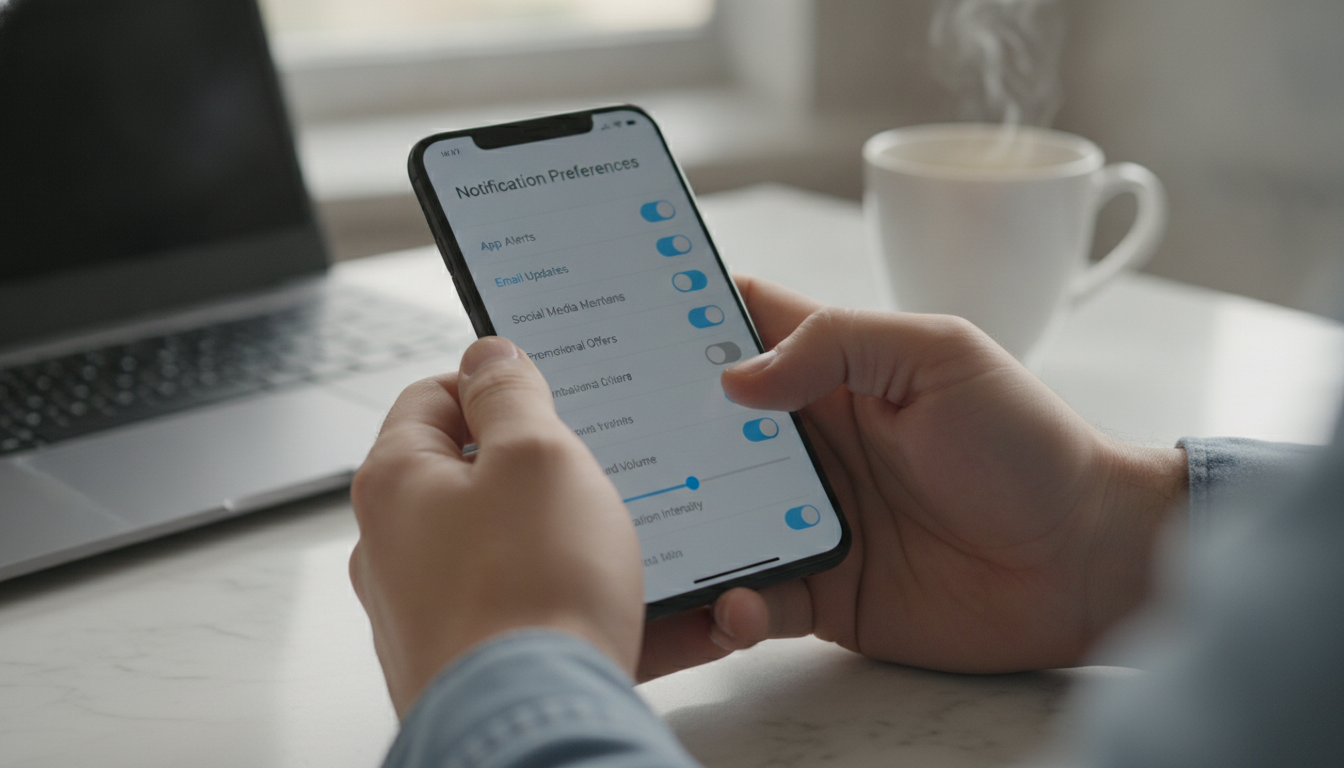
iPhone users should master Focus modes introduced in iOS 15. Create a "Dating" focus that allows notifications only from your chosen apps during specific hours. Your work Focus blocks everything except messages from actual dates you've scheduled.
Android users can leverage Digital Wellbeing features to set app timers and notification limits. Cap dating app notifications at 10 per day across all platforms. Once you hit that limit, all further alerts are silenced until the next day. This hard stop prevents notification spirals.
Both operating systems now offer notification summaries—scheduled digests of lower-priority alerts delivered at set times. Route all "someone viewed your profile" and "new user nearby" alerts to these summaries. Check them twice daily rather than reacting to each one individually.
The Critical "Do Not Disturb" Habits
Enable Do Not Disturb automatically during events on your calendar. When you block time for an actual date, your phone should recognize that and silence dating app alerts. Nothing kills the vibe faster than your phone buzzing with Grindr messages while you're trying to connect with someone face-to-face. This relates directly to reading body language on first dates—you can't notice subtle signals if you're distracted by notifications.
Create a manual DND shortcut you can activate with one tap. Before entering a restaurant, gym, or movie theater, hit that button. Train yourself to enable this during any activity that deserves your full presence. Dating apps will be there when you're done; the moment in front of you won't.
Exception lists matter for DND settings. Allow calls from favorited contacts to break through silence—real emergencies shouldn't be blocked. But keep dating apps off that exception list. No match is urgent enough to interrupt your sister's birthday dinner or your therapy session.
Behavioral Patterns That Reduce Alert Dependence
Set specific "app check" times rather than relying on notifications to pull you in. Morning coffee, lunch break, and evening wind-down become your three windows for reviewing messages. This proactive approach beats reactive notification-chasing every time.
When you do check apps, respond to multiple messages in one session. This batching reduces the back-and-forth notification ping-pong that keeps you tethered to your phone all day. You're still responsive—just on a sustainable rhythm rather than constant availability.
Track your notification patterns for one week. Note which alerts you actually act on versus which you dismiss immediately. That data reveals exactly which notification settings need adjustment. If you ignore "new user nearby" alerts 95% of the time, why let them interrupt you at all?
Platform-Specific Notification Strategies
MySugardaddy conversations typically involve deeper planning and arrangement discussions. Keep message notifications on but disable all activity alerts like profile visits or winks. These relationships benefit from thoughtful communication, not instant reactions to every micro-interaction.
Grindr and Scruff thrive on immediacy when you're actively cruising but become noise when you're not. Use their built-in "invisible" or "offline" modes when you want to browse without receiving incoming taps or messages. Toggle back to visible only when you're ready to engage.
Apps focused on dating rather than hookups—think OkCupid or Hinge—work better with reduced notification frequency. Set these to daily or twice-daily summaries. The connection-building process on these platforms spans days or weeks, making real-time alerts less critical.
When More Notifications Actually Help
Traveling to a new city for work or vacation? Temporarily increase location-based notifications on your hookup apps. The limited time window makes immediacy valuable. You want to know who's nearby right now because "later" might not exist.
Attending a gay event, circuit party, or pride festival? Enable push notifications for apps your community uses most. These high-density social environments benefit from real-time coordination. Just remember to dial settings back down once the event ends.
Starting a new promising connection that requires coordination? Allow notifications from that specific person until you've successfully met in person. Once you've transitioned to texting or another platform, mute the dating app conversation to prevent redundant alerts across multiple channels.
The Psychology of Notification Independence

Breaking notification addiction requires acknowledging the anxiety it creates. That pit in your stomach when you haven't checked apps in three hours? That's manufactured urgency, not genuine social need. Recognizing this pattern is the first step to dismantling it.
Practice delayed gratification with notifications. When your phone buzzes, wait five minutes before checking. Gradually extend this to 15, then 30 minutes. You'll discover that 99% of dating app alerts don't require immediate response. This builds confidence in your ability to engage on your terms. Similar to recognizing emotional burnout early, managing notification stress prevents larger issues.
Celebrate notification-free time blocks. After successfully maintaining focus for two hours with all dating apps silenced, acknowledge that win. This positive reinforcement rewires your brain to associate peace and productivity with controlled notification settings rather than constant availability.
Common Notification Setting Mistakes
The biggest error is treating all notifications as equally important. They're not. A message from someone you've been chatting with for three weeks carries different weight than a random profile view from a blank account.
Another mistake: never updating your settings as your dating goals shift. Your notification needs when you're actively seeking a sugar daddy differ completely from when you're in an established arrangement. Review and adjust your settings monthly to match your current situation.
Forgetting about badge icons is common. Those red number bubbles on app icons create constant visual pressure to clear them. Disable badge notifications entirely in your phone's settings, or you'll compulsively open apps just to make the number disappear, regardless of whether you want to engage.
Advanced Tactics for Notification Mastery
Use third-party notification managers like Daywise or Notifications Journal to gain even more control. These apps can delay notifications until appropriate times, bundle them by category, or block them entirely during defined periods. They add a layer of intelligence on top of native settings.
Create automation rules using Shortcuts (iOS) or Tasker (Android). When you connect to your office WiFi, all dating app notifications automatically silence. When you leave the gym, they re-enable. This removes the mental burden of manually toggling settings throughout your day.
Some users benefit from a complete notification detox. Disable all dating app alerts for one week to reset your relationship with these platforms. You'll likely discover you don't miss most of them. Then selectively re-enable only the notifications that genuinely served you during the blackout period.
Frequently Asked Questions
How many dating app notifications per day is too many?
More than 15-20 notifications daily from dating apps alone indicates you need stricter notification settings. This volume creates constant interruption that prevents focused work and genuine presence during in-person interactions.
Should I disable all notifications or use selective settings?
Selective notification settings work better than complete disabling for most users. Keep message alerts from active conversations while blocking vanity metrics like profile views, favorites, and "user nearby" notifications that don't require immediate action.
Can reducing notifications hurt my chances of making connections?
Strategic notification management actually improves connection quality by letting you respond thoughtfully rather than reactively. Users who batch-check apps 3-4 times daily report more meaningful conversations than those who respond instantly to every alert.
What notification settings work best for gay sugar dating apps?
Enable message notifications only from users you've already started conversations with on sugar dating platforms. Disable all profile activity alerts since these relationships develop over days or weeks, not minutes, making real-time updates unnecessary.
How do I stop phantom vibration syndrome from dating apps?
Phantom vibrations result from excessive notification conditioning. Switch to sound-only alerts or scheduled notification summaries for two weeks to break the pattern, then gradually reintroduce vibration only for your highest-priority app.
Take Control of Your Dating App Experience
Mastering notification settings transforms dating apps from attention parasites into tools you control. Start tonight by opening each app's settings and disabling at least three notification types you don't actually need. That immediate reduction in digital noise will feel liberating.
Remember that optimal notification settings aren't static—they evolve with your dating goals, relationship status, and life circumstances. Schedule a monthly five-minute review where you assess whether your current configuration still serves you. Adjust as needed without guilt.
The goal isn't zero notifications—it's intentional notifications that support rather than sabotage your dating life. When you control app alerts smartly, you stay engaged with promising connections while protecting your mental bandwidth for the relationships and moments that matter most. Your future self will thank you for reclaiming this attention.